![content.buywithvan.comhs-fshubfsvan-logo-white-1.png]](https://knowledge.buywithvan.com/hs-fs/hubfs/social-suggested-images/content.buywithvan.comhs-fshubfsvan-logo-white-1.png?width=120&height=48&name=content.buywithvan.comhs-fshubfsvan-logo-white-1.png)
If you are reading about Merge listings for the first time, it is recommended that you learn first what is an unknown listing. You can do it by clicking here.
In order to merge the information of an unknown listing with the original listing where it belongs, you must follow this steps:
- In the Unknown Listing:
- Go to the Listings Previously Contacted section, and adjust the filters as needed to find the proper listing
- Then go to the Merge Info section and copy the unknown listing ID
- In the matching listing's VDP:
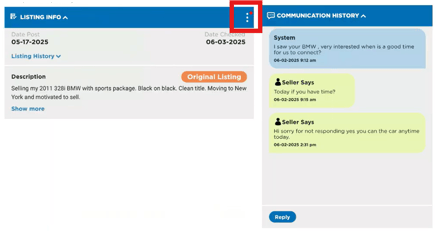
- Go to the Listing Info section
- From the ⋮ menu located on the top-right corner of the section, select Merge Listings
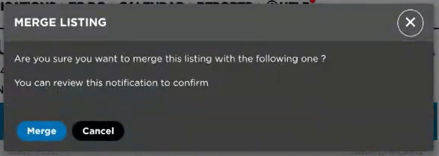
- Click Merge in the confirmation window that will appear
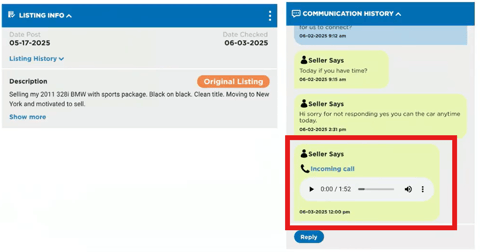
This will finalize the merging process, adding the new communication to the original listing as shown below:
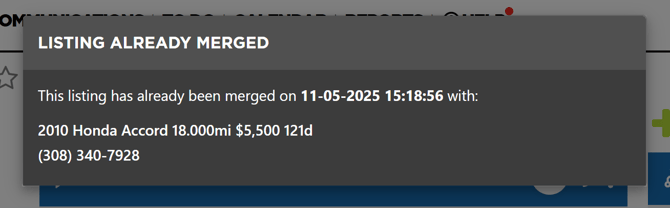
And if, by any reason, you return to the unknown listing record, a message will appear informing you that listing as already been merged, showing you when it was merged and giving you the information of the listing it was merged with.