![content.buywithvan.comhs-fshubfsvan-logo-white-1.png]](https://knowledge.buywithvan.com/hs-fs/hubfs/social-suggested-images/content.buywithvan.comhs-fshubfsvan-logo-white-1.png?width=120&height=48&name=content.buywithvan.comhs-fshubfsvan-logo-white-1.png)
The Quick Global search is located near the top-right corner of the platform. You can see it marked in red on the image below.
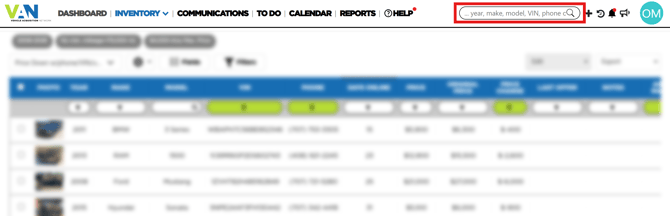
This tool will allow you to find listing based on:
- Vehicle Year
- Vehicle Make
- Vehicle Model
- Vehicle VIN
- Seller Name
- Seller Phone
- Seller Email
- Listing URL
- Listing last Note content
When you perform a search, the system will review:
- The listings that matches your account inventory default search criteria
- The listings that matches any manual search set in the account settings (For example, any inbound integration*)
- The listings manually added by the account users.
*If you want to know more about the system integrations, take a look at our Integrations Index to view the currently available options.
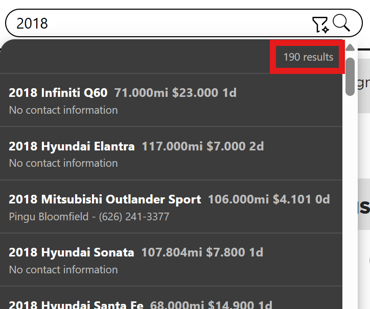
Once the search is completed, it will return a maximum of 190 results.
Advanced Search
 In case of require a more complex search, the Advanced Search can be used by clicking in the inco marked above.
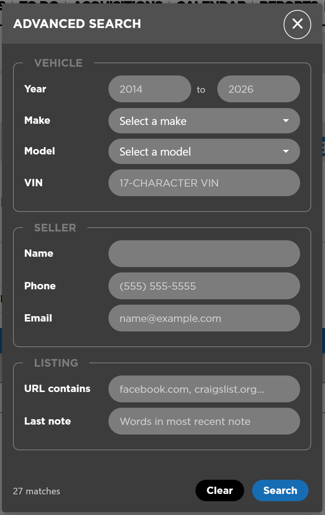
This menu allows the users to create a search by combining all the search options available in a more specific and clear way.
While using only one field from the Year section on the Advanced Search windows, the behavior of this option is as following:
From Year (First one) - By completing only this field, the search results will show all the listings with cars for the year selected and all the years after that. For example, if the year 2020 is completed, the results will show listing with years 2020, 2021, 2022, etc.
To Year (Second one) - By completing only this field, the search results will show all the listings with cars for the year selected and all the years before that. For example, if the year 2020 is completed, the results will show listing with years 2020, 2019, 2018, etc.