![content.buywithvan.comhs-fshubfsvan-logo-white-1.png]](https://knowledge.buywithvan.com/hs-fs/hubfs/social-suggested-images/content.buywithvan.comhs-fshubfsvan-logo-white-1.png?width=120&height=48&name=content.buywithvan.comhs-fshubfsvan-logo-white-1.png)
What it does
Capture a seller conversation
- Open a Messenger / Craigslist / AutoTrader / Cars.com thread about a vehicle.
- The extension auto-captures messages + media into the conversation list, grouped by source.
- Badges show status: 🔴 no listing URL · 🟡 pending sync · 🟢 synced.
- Click Sync to push to the vehicle’s Communication History in VAN.
Add a listing from a source page
- On a listing page, open the side panel → Add Listing.
- Extension scrapes the page + takes a screenshot; Claude normalizes (year/make/model/VIN/odometer/seller/photos).
- Review/edit the form (photo preview, Re-scan, selective media), then Save.
- The listing is assembled in VAN and the VDP opens automatically.
See VAN’s VDP without leaving the source
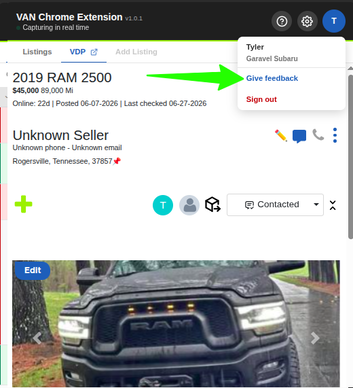
- The VDP tab renders VAN’s responsive listing inline and follows the listing you’re browsing.
- Answer inbound calls or start outbound calls
- View inbound messages or email notifications
Organize & find conversations
- Search by name, year/make/model, VIN, phone, price, odometer, or tag.
- Filter by stage (Not Contacted … Sold); sort by 7 criteria.
- Default labels auto-apply tags on add / sync / update.
What it doesn't do
- Full VAN CRM navigation. Only VDPs
- View notifications Now supported!
Known Issues - We are working on them!
- Duplicated messages after syncing: there are reports of some messages being duplicated in the Communication History at: Facebook, Auto-trader
- Voice notes: even after playing FB voice notes, there are not being sent to the Communication history.
- Report issues: user's screenshot when submitting an error is currently not working due to HubSpot attachment limitations
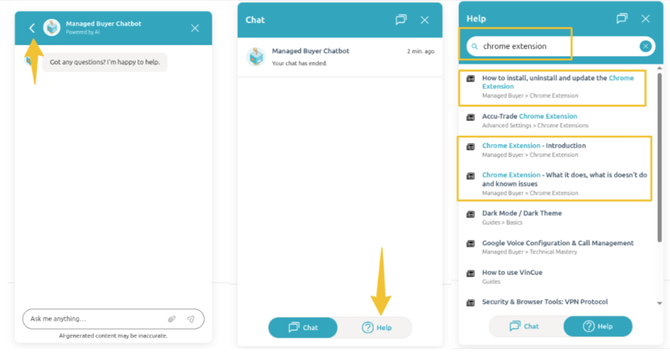
If you have any questions
after reading read these articles☝️, you can ask HubSpot AI Chat:
Report a Listing issue
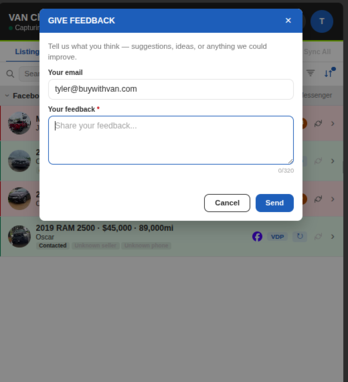
Provide Feedback, feature requests and improvements!