![content.buywithvan.comhs-fshubfsvan-logo-white-1.png]](https://knowledge.buywithvan.com/hs-fs/hubfs/social-suggested-images/content.buywithvan.comhs-fshubfsvan-logo-white-1.png?width=120&height=48&name=content.buywithvan.comhs-fshubfsvan-logo-white-1.png)
How to use it?
This extension has a self tutorial. Navigate to the "Settings" section in the side menu.
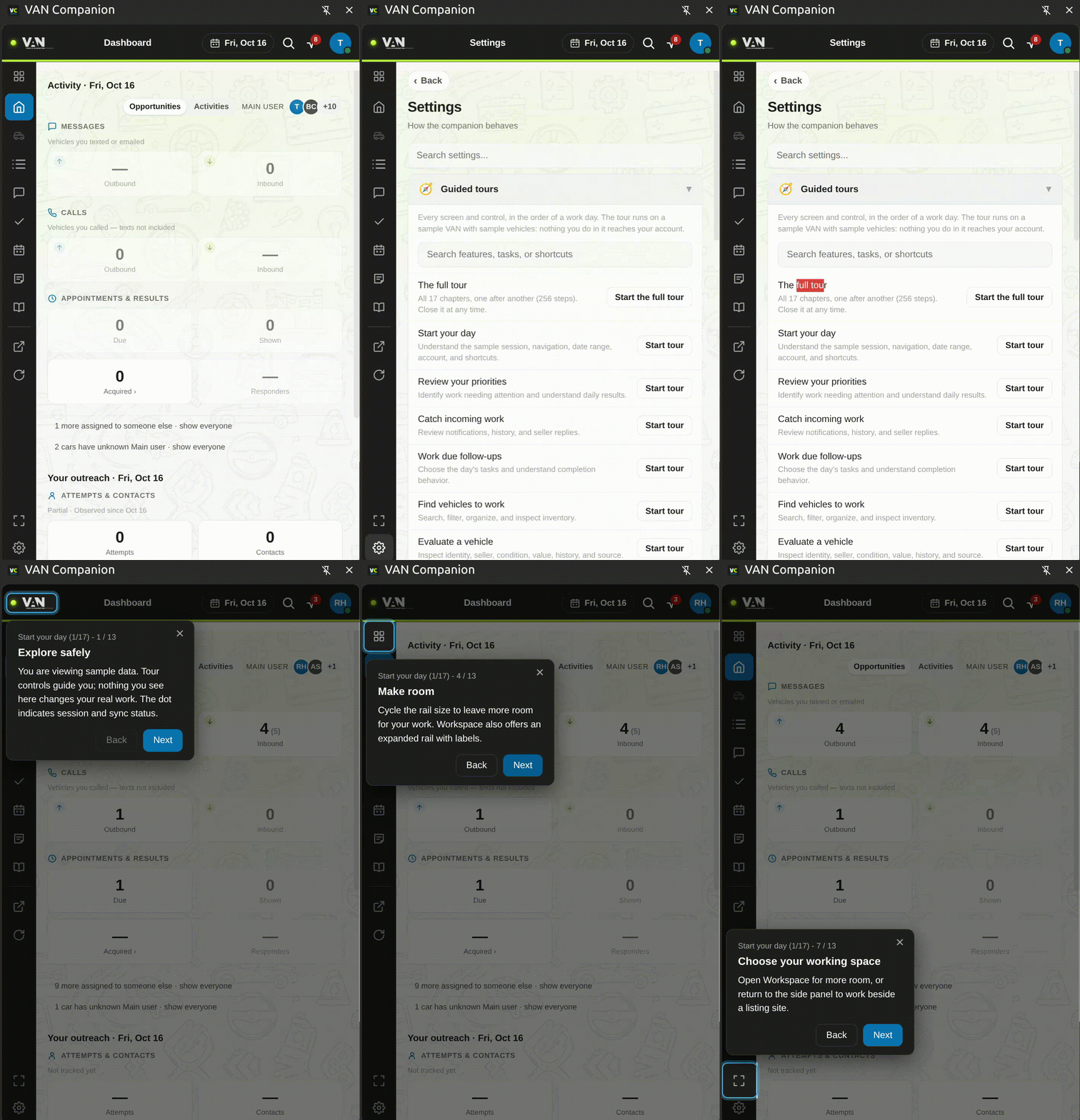
Start all guided tours by clicking "Start tour" under the "Start your day" option.
From there, the screen displays a series of interactive tutorial pop-ups explaining the interface, with steps such as "Explore safely," "Choose your next task," "Know your current view," "Make room," "Reveal the hidden rail," and "Choose your working space".
How to save it settings (.JSON file)?
In case it asks about downloading a file's location daily, do this:
Enable automatic VAN Companion backups
- Open Chrome using the profile where you use Companion.
- Paste this into the address bar:
chrome://settings/downloads - Turn OFF “Ask where to save each file before downloading.”
- Done! Companion will save backups to Downloads → van backups, at most once a day while its panel is open.
How to use this extension in my Kameleo profiles?
You don't. This extension works only inside your Google Chrome official browser.
Kameleo actually has a proprietary browser called Chroma, forked from Chromium (same as Google Chrome) and we have not yet made this extension compatible with Chrome.
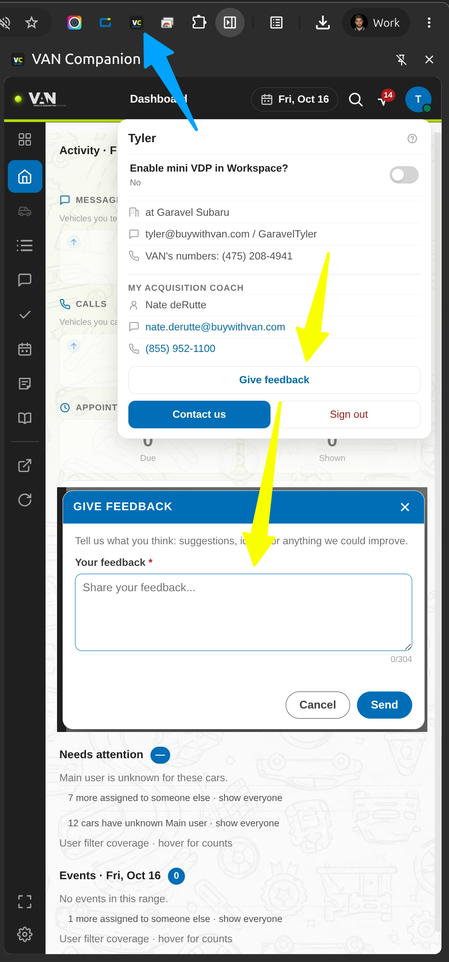
How to submit feedback just for this experimental extension?
Full help, steps, detailed tutorial here