![content.buywithvan.comhs-fshubfsvan-logo-white-1.png]](https://knowledge.buywithvan.com/hs-fs/hubfs/social-suggested-images/content.buywithvan.comhs-fshubfsvan-logo-white-1.png?width=120&height=48&name=content.buywithvan.comhs-fshubfsvan-logo-white-1.png)
A listing can have users assigned in the following categories:
- Main User Assigned - It refers to the user in charge of that listing
- Secondary User Assigned - Is that one that will help and contributed during the acquisition process. This user assignation is not mandatory
- Follower - These are the users interested in the listing for any reason. There may be any amount of them. If you want to know more about what it means to follow a listing, click here
Automatic User Assignations
When some actions are performed in a VDP which has no assigned main user, the person who triggered the action is automatically set as the VDP main user. Some of this actions are:
- Send the first VDP message
- Create the first task
- Change listing stage for the first time
How to manually assign a user
By clicking on the Assign Main User or Assign Secondary User buttons, the Select Users to Assign modal window will appear:
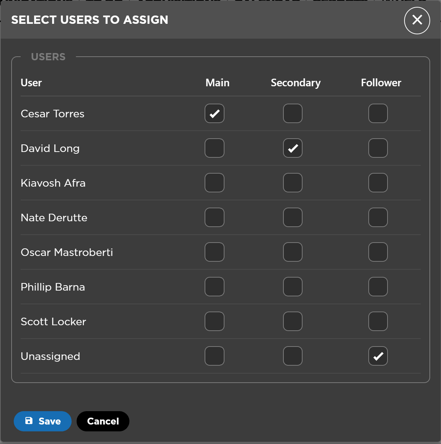
The system allows to assign no more than one user as Main or Secondary User to a listing.
Inactivated users will not be displayed in this list
Inactive users
Inactive users already assigned as Main or Secondary users, will still show in the VDP, until you reassign to a new user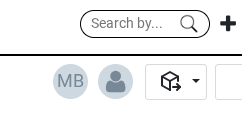
If you have many listings assigned to inactive users, you will want to perform a Batch Action reassigning to a new user
Assign Users and Followers as a Batch Action
You may assign new Users/Followers to multiple listings at the same time through the platform Batch Actions. If you want to learn more about the Batch Actions, click here.
Assign Followers as a Batch Action
In the followers case, this feature only allows you to assign new followers to the listings or unassign them all. In case you want to remove any individual follower from the listings, you will have to do it through the VDP.