![content.buywithvan.comhs-fshubfsvan-logo-white-1.png]](https://knowledge.buywithvan.com/hs-fs/hubfs/social-suggested-images/content.buywithvan.comhs-fshubfsvan-logo-white-1.png?width=120&height=48&name=content.buywithvan.comhs-fshubfsvan-logo-white-1.png)
This module is included in Professional and Accelerated tiers. Compare plans here
When you first log in, you'll land on your Dashboard. This page is designed to give you an immediate overview of your current activity and scheduled events for today.
At the top of the dashboard you will see your activity for a specified date range: As you can see in the image, so far this month this dealership has set 18 appointments, of which 16 have shown and 15 vehicles have been acquired.
Below that, you will see your message and call activity, once again, for your preferred date range:
What you are seeing from left to right:
- Message Activity:
- This dealership has seen 73 initial outbound messages so far this month, either sent by the user or by the automated system.
- The total number of outbound texts (349), including any manual text sent by you, as also any automated Day 6 and Day 15 follow up text sent by the system.
- 60 initial inbound responses to the initial outbound messages.
- The total inbound responses in relation to the total outbound (250).
- Call Activity:
- 100 outgoing calls
- 27 incoming calls.
If the user clicks on the outbound/inbound amounts, a detail report will come up showing the name of the seller, the vehicle information, and the date and time that the communication was made.
Same applies for all the information in bold text for this section.
- the total unique responders amount. Unique responders are defined as the total number of opportunities that have responded to the initial outbound messaging.
If the numbers resulting on the addition of inbound messages and inbound calls match with the total unique responders amount, that means it has been only one inbound response per unique responder, and if the numbers don't match, it would indicate that multiple unique responders have responded to the initial text more than once, sometimes with multiple texts and sometimes with a phone call and a text.
The section below shows Today's To Do and Today's Appointments:
The system does not auto-generate a follow-up schedule for you or your team, so setting tasks to re-engage with sellers will be imperative towards your success. To learn on how to generate a follow-up schedule, click here.
Finally, on this section, you will see Today's Messages and Today's Calls: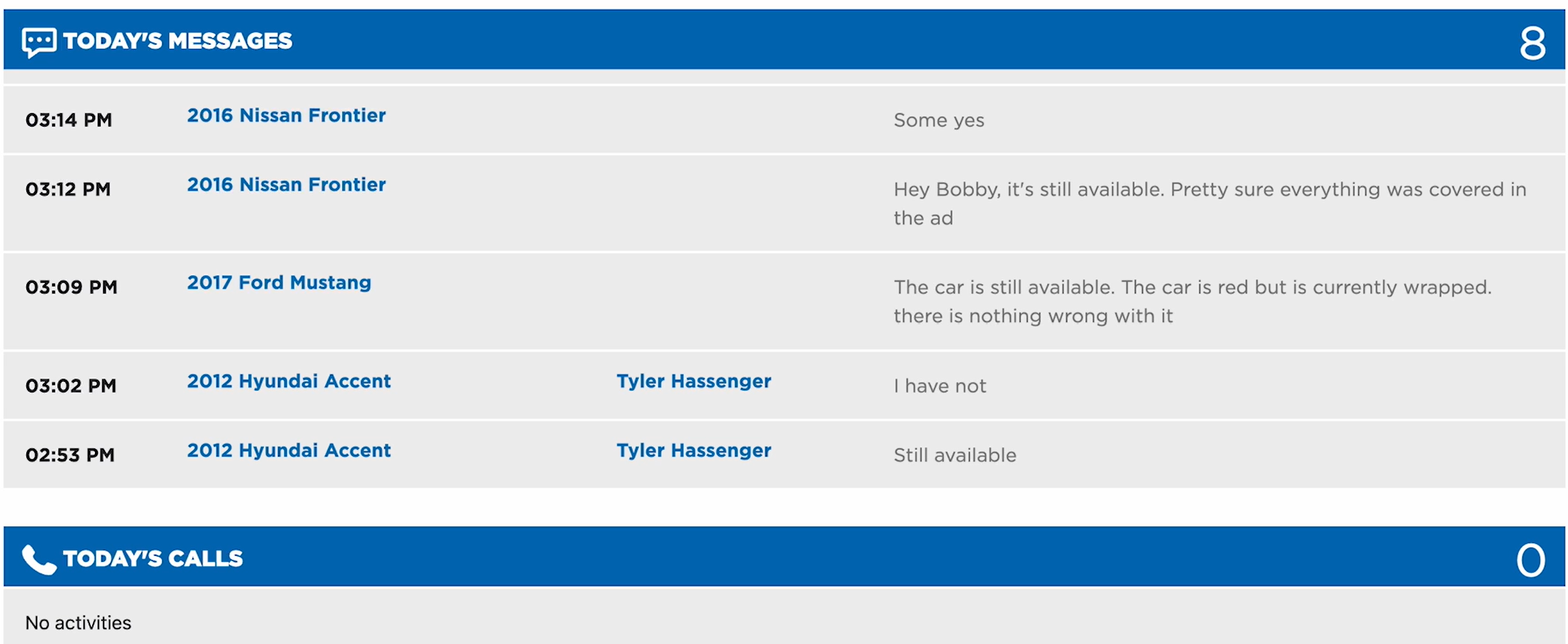
A few pointers regarding this section:
- These 2 sections will only show incoming messages and calls, so anything outgoing will not be displayed.
- Any incoming calls will be recorded, so if you do see an incoming call, there will be a little play button here for you to click, and it will replay the call in full.