![content.buywithvan.comhs-fshubfsvan-logo-white-1.png]](https://knowledge.buywithvan.com/hs-fs/hubfs/social-suggested-images/content.buywithvan.comhs-fshubfsvan-logo-white-1.png?width=120&height=48&name=content.buywithvan.comhs-fshubfsvan-logo-white-1.png)
The Acquisitions module ↗️ is where you'll find all the listings that were acquired, as well as being able to manage this information based on the filters and fields you applied to the views you create.
Creating Views is included in Professional and Accelerated tiers.
Standard accounts have 1 default view. Compare plans here
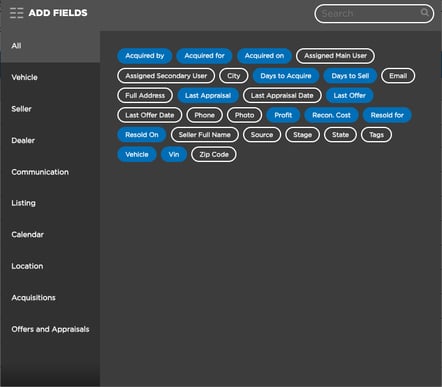
Module's Fields
- Acquired by
- Acquired for
- Acquired on
- Assigned Main User
- Assigned Secondary User
- City
- Days to Acquire
- Days to Sell
- Full Address
- Last Appraisal
- Last Appraisal Date
- Last Offer
- Last Offer Date
- Phone
- Photo
- Profit
- Recon. Cost
- Resold for
- Resold On
- Seller Full Name
- Source
- Stage
- State
- Tags
- Vehicle
- Vin
- Zip Code
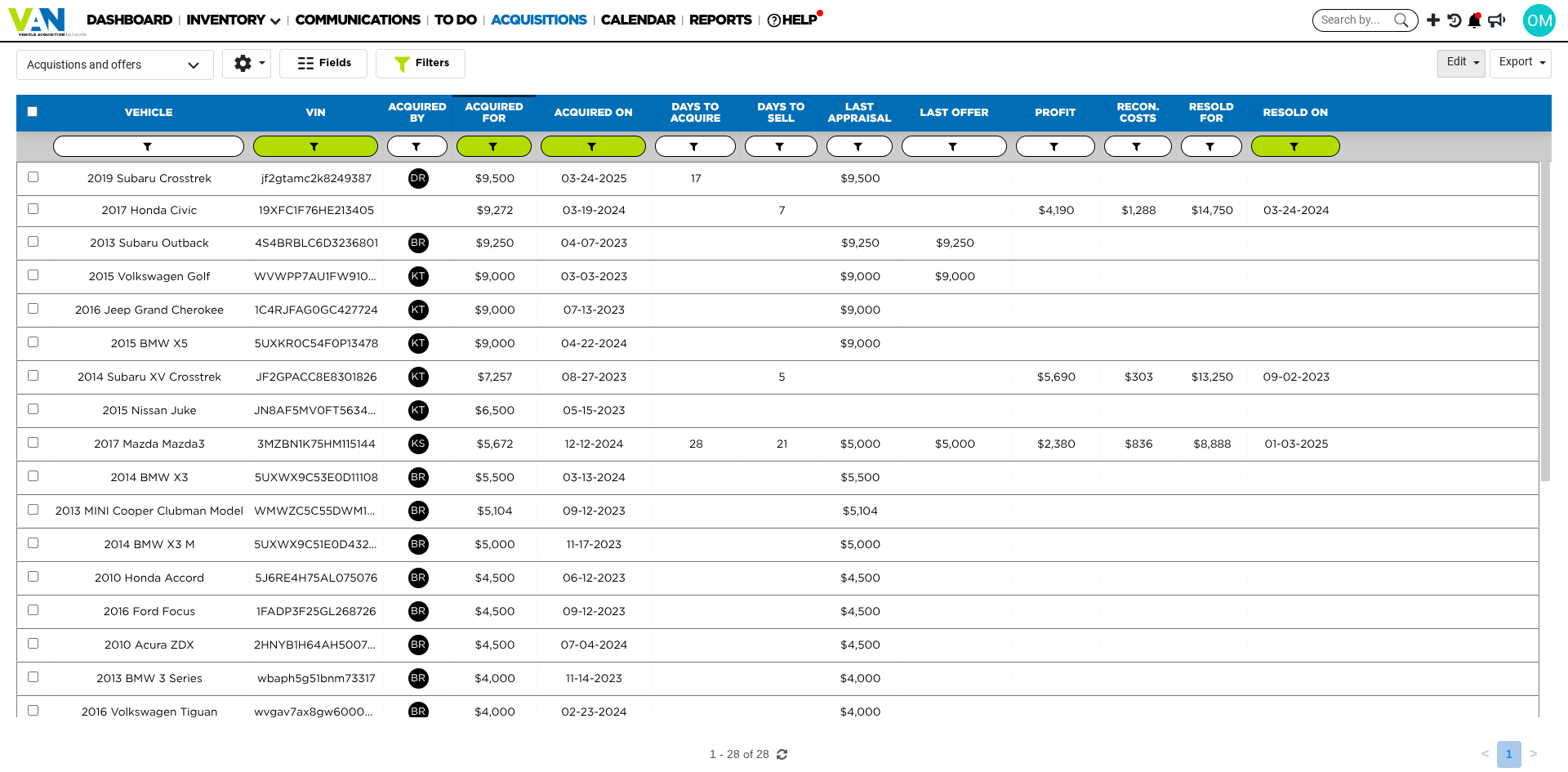
Underneath the current search criteria you'll be able to find:
- Selected View - Where all the listings information is shown
- View Management Tools - Menus used to select which view to visualize, and manage view in general. Learn more about views here
- Fields Button - Allows to select which fields will be shown in the current view. Learn more 👉 here
- Filters Button - Its main function is to show/hide the filter buttons shown for each specific field on the view. Learn more about filters behavior here
- Batch Actions (Edit Button) - Allows to perform specific actions on any amount of listing selected on the active view at the same time. For this button to be enabled, at least one listing must be checked. Learn more about how the batch actions work here
- Export Menu - Export views to CSV files. Learn more about this menu here